How to Publish a Christian Book on Amazon, Step by Step
By Suzanne D. Burns
You've written the book. Maybe it's a devotional, a Bible study, your testimony, or the sermon series your church keeps asking about. Now you want it on Amazon, where your people already shop.
Good news: you can do it yourself, free, under your own name, and keep every right to your book. I've published more than 87 books this way. Here's the whole process in plain language.
Before you start: have these ready
- Your finished, edited manuscript in Word (or a format your tools export).
- Your cover: a front cover image for the ebook, and a full wraparound cover (front, spine, back) for the paperback.
- Your book description.
- Seven keyword phrases and three categories (more on these below).
- Your price.
- Your bank and tax details, for royalty payments.
Step 1: Set up your KDP account
Go to kdp.amazon.com and sign in with an Amazon account. You'll complete a tax interview and add your bank details so Amazon can pay you. This takes about fifteen minutes, and you only do it once.
If you're publishing for a church or ministry, decide up front whose account the book goes on. Whoever owns the account receives the royalties.
Step 2: Start your ebook
Choose to create a Kindle eBook. KDP asks for your book's details in three tabs: details, content and pricing. Take them one at a time.
Step 3: The details tab
- Title and subtitle. Your subtitle is a chance to tell readers what the book does: "A 30-Day Devotional for Weary Moms" says more than a clever phrase alone.
- Series (if your book is part of one).
- Author name. Yours, or your pen name. Add contributors if someone wrote a foreword.
- Description. You have up to 4,000 characters. Open with a line that speaks to the reader's need, not your biography. Say who the book is for, what it will do for them, and what's inside (a study guide? questions for groups?). Keep paragraphs short.
- Publishing rights. Confirm you own the rights.
- Primary audience. You'll answer a question about adult content and set a reading age if it's for children or teens.
- Categories. Choose up to three categories for each format. Pick the most specific category that truly fits, like Christian Devotionals or Christian Bible Study, rather than a broad one. Look at books like yours to see where they're listed.
- Keywords. Seven boxes, each up to 50 characters. Use phrases your readers would actually type: "devotional for women grief," "small group bible study james." Don't repeat words from your title, and don't use other authors' names.
Step 4: The content tab
- Manuscript. Upload your file. KDP accepts Word documents, and tools like Kindle Create can help with formatting.
- Cover. Upload your ebook cover image.
- AI disclosure. KDP asks whether your book contains AI-generated text, images or translations. Answer truthfully. It doesn't change how your book is sold.
- Preview. Use the online previewer and page through the whole book. Check the table of contents, headings, Scripture quotations and any lists or tables.
- ISBN. Ebooks on KDP don't need one.
Step 5: The pricing tab
- KDP Select. If you enroll, your ebook is exclusive to Amazon for 90 days at a time and is included in Kindle+ (formerly Kindle Unlimited). Many nonfiction authors skip it so they can sell elsewhere. You can decide per book.
- Royalty. Choose the 70% royalty option. It applies to ebooks priced between $2.99 and $12.99. Below or above that range, the royalty is 35%.
- Price. Nonfiction ebooks that solve a real problem often sell well between $4.99 and $9.99. Look at what books like yours charge.
Click publish. Amazon reviews the book, usually within about three days, and emails you when it's live.
Step 6: Add the paperback
From your bookshelf, add a paperback to the same title so the formats link together on one Amazon page. Most details carry over. A few things are new:
- ISBN. Take Amazon's free one, or use your own if you want your own imprint name on the record.
- Print options. Trim size (6 by 9 inches is common for Christian nonfiction; 5.5 by 8.5 suits devotionals), paper color and cover finish.
- Interior and cover files. Upload a print-ready interior PDF and your full wraparound cover. The previewer flags anything outside the margins.
- Proof copy. Order one. Holding the book in your hands catches things a screen never will.
- Price. KDP shows your printing cost. Paperbacks priced at $9.99 and up earn a 60% royalty before printing costs; under $9.99, 50%. Price so you earn at least a couple of dollars a copy.
Step 7: Order author copies
Once your paperback is live, order copies at printing cost for your church, small groups, events, and pastors you'd like to share it with. For a ministry book, this is often where the real impact happens.
Step 8: Launch it
- Tell your people. Announce it from the pulpit, in your newsletter, and on social media.
- Ask early readers to leave honest reviews on Amazon.
- Run a small-group study through it, if it's built for that.
- Send copies to pastors and leaders who might use it with their own people.
If the book isn't being found after the first few weeks, revisit your keywords and categories first, then the first line of your description. Small changes there make a big difference.
Want help with the hard part?
Here's something I've learned after more than 87 books: the clicking is the easy part. The harder part is knowing what to put in the boxes. A description that makes a reader say yes, keywords and categories that help the right readers find you, and a price that fits.
My KDP Launch Kit walks you through all of that in order, with fill-in worksheets: research on books like yours, a description builder, a keyword planner, category picks, pricing and a launch checklist. When the worksheet is full, upload day is mostly copying and pasting.
You don't need a paid service to upload your book. If you'd like a friend beside you for it, that's what KDP Launch Setup is for. We work out what goes in each box together, then I sit with you on Zoom while you upload in your own account, so you're never doing it alone. See my author services.
And when your book goes live, write to me and tell me. I'd love to celebrate with you.
Cheering you on,
Suzanne
Get The Sowers' Dispatch
One short, practical letter every Tuesday for clean and Christian authors, pastors and ministry leaders: the week's post, one thing to try and the publishing news worth knowing. Unsubscribe any time.
Send me The Sowers' Dispatch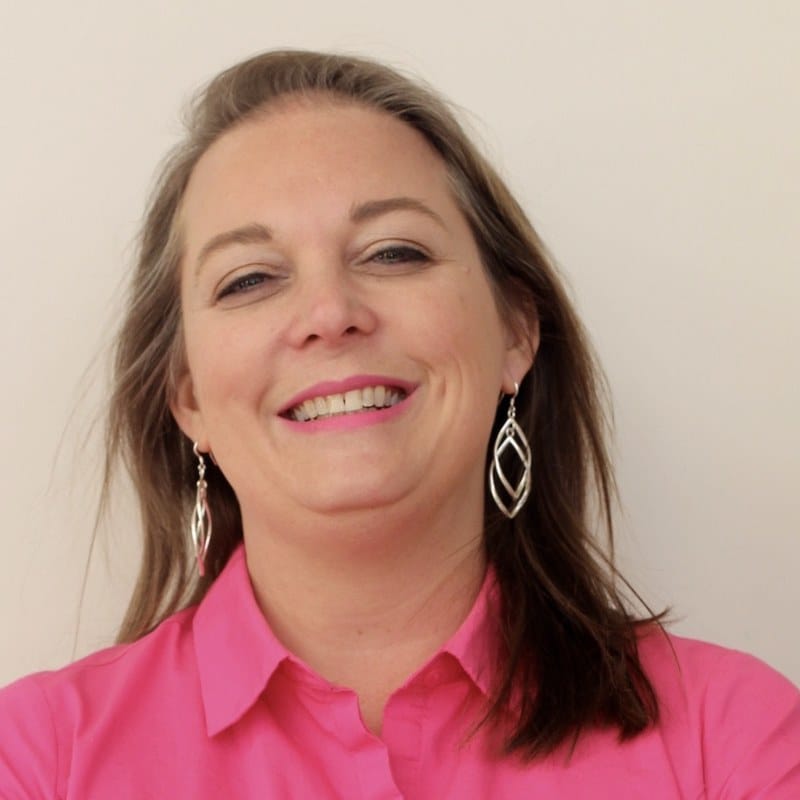
Suzanne D. Burns
Developmental editor and book coach to more than 200 business leaders, author of more than 87 books, and more than 20 years in ministry. I help pastors and clean authors get their books finished and published well.
Get The Sowers' DispatchGet a free sample editFree resourcesTake the free book quizPastors: is your message a book?Real people. Experienced hands. Your book.© 2026 Hundredfold Books. Resources · Author Services · Voice to Volume · About · Contact · Terms · Privacy