Before Your First KDP Upload: What to Have Ready
By Suzanne D. Burns
What do you need before you publish on Amazon KDP? Four groups of things: the book files (your final manuscript and cover), the details (title, description, keywords, categories and bio), a few decisions (price, print or ebook, and whether to enroll in KDP Select), and your account setup (tax interview and bank details). Have all of it ready before you sit down, and the upload itself becomes the easy part.
Most first-time authors do it the other way around. They open KDP, start clicking, and discover halfway through that they need a description they haven't written, a cover that's the wrong size, or a tax form they don't understand. Then the book sits in draft for a week. Here's the checklist that prevents that.
If you'd like a screen-by-screen walkthrough of the upload itself, that's in How to Publish a Christian Book on Amazon, Step by Step. This post is about everything that comes before it.
Your KDP checklist: the book files
Your final manuscript, edited and proofread. Not "nearly final." KDP accepts several file types for ebooks, including Word (DOCX), EPUB and KPF (from Kindle Create). For a paperback, a print-ready PDF sized to your trim size is the safest choice.
Your ebook cover. A single image, front cover only. KDP's guidance is a height-to-width ratio of 1.6 to 1, with 2,560 by 1,600 pixels as the ideal size.
Your print cover (if you're doing a paperback). This is a full wrap (back, spine and front) as one PDF, sized to your trim size and page count, because the spine width depends on how many pages your book has. KDP has a free cover calculator and template for exactly this.
Front and back matter. Title page, copyright page, maybe a dedication. At the back, a short note from you, your author bio, and a link to your reader gift so finished readers can stay in touch.
The details
These are the boxes most people fill in too quickly, and they're the ones that help readers find your book.
- Title, subtitle and series name (if it's part of a series). Your subtitle can tell searchers exactly what the book is.
- Book description. A few short paragraphs that make the right reader want the book. Write it ahead of time and read it out loud.
- Seven keyword phrases. KDP gives you seven boxes. Use phrases real readers type into Amazon search, not single words.
- Categories. You choose up to three. Pick the most specific ones that honestly fit your book.
- Author bio. A short paragraph for your Amazon author page, in the third person.
- ISBN for print. A paperback needs one. KDP offers a free ISBN, or you can use your own. An ebook on KDP doesn't need one.
The decisions
Ebook and print prices. KDP pays a 70% royalty on ebooks priced within a set range (on Amazon.com, $2.99 to $12.99) and 35% outside it. Look at what similar books in your category cost before you decide.
KDP Select, or wide? If you enroll your ebook in KDP Select, it's included in Kindle+, the reading subscription Amazon called Kindle Unlimited until October 2026, and you're paid for pages read as well as sales. In exchange, the ebook is exclusive to Amazon for 90-day terms. Going "wide" means selling the ebook in other stores too. Many novelists choose Select; many nonfiction authors choose wide. Either is fine, and you can decide book by book.
Your answer to Amazon's AI question. When you publish, KDP asks whether your book contains AI-generated content (text, images or translations). Decide your honest answer before you get there. If you used AI tools to create your cover art, for example, the answer for images is yes.
Print, ebook or both. You can start with the ebook and add the paperback later, though publishing both together lets Amazon link them on one page.
The account
Your KDP account, in your own name. Your book, your account, your royalties. Never let anyone else hold your login.
Your tax interview. KDP walks you through it online. Have your tax ID ready (for most US authors, a Social Security number or an EIN).
Your bank details for royalty payments.
Do these first, even before your files are ready. They're quick, and they're the most common reason a first upload stalls.
Do I need an LLC or a copyright registration first?
These two questions stop a lot of first-time authors, so here's the short version (I'm not a lawyer or an accountant, so check your own situation with one).
A business entity isn't required to publish on KDP. Many authors publish under their own name and Social Security number. Some later form an LLC for their own reasons; you can update your account details if you do.
Your work is protected by copyright as soon as you write it in the United States. Registering with the U.S. Copyright Office is optional, though it gives you extra legal options if someone ever copies your book. Many authors register after publishing. It doesn't need to delay your upload.
What you do need is a simple copyright page in the front of your book: the year, your name (or pen name), and a line that the work may not be copied without permission. If you quote a Bible translation, add that translation's permission notice too.
Three mistakes I see most often
Uploading before the edit is finished. It's tempting to publish and fix later. You can, but your first readers will see the first version.
Leaving keywords and categories to the last minute. These quietly decide who sees your book. Give them an hour of real thought.
Getting the print cover size wrong. Wait until your interior is final, then size the cover to the exact page count.
Self-publishing forgives
Here's the good news I tell every nervous first-time author: you can change almost everything later. Find a typo after launch? Fix the file and upload it again. Want a new description, a different price, better keywords? Update them. There's no penalty for improving your book.
So don't let fear of getting it wrong keep your book in draft. Get it ready, get it up, and keep going. Done beats perfect.
Two ways I can help
If you'd like to do it yourself, the KDP Launch Kit ($37) has the full checklist, worksheets for your description, keywords and categories, and pricing guidance, so you can sit down to upload with everything in hand.
If you'd rather not do it alone, my KDP Launch Setup ($295) is the guided version. The clicking is the easy part; the help is knowing what goes in the boxes. We work out your metadata, keywords, categories and pricing together, then I sit with you on Zoom while you upload in your own account. You keep your login, your rights and every royalty. See it on our services page.
Planning to sell in bookstores and libraries too? We also offer IngramSpark Setup, explained on What's Next.
If you're getting ready for your first upload and have a question, write to me. I'm glad to help.
Cheering you on,
Suzanne
Get The Sowers' Dispatch
One short, practical letter every Tuesday for clean and Christian authors, pastors and ministry leaders: the week's post, one thing to try and the publishing news worth knowing. Unsubscribe any time.
Send me The Sowers' Dispatch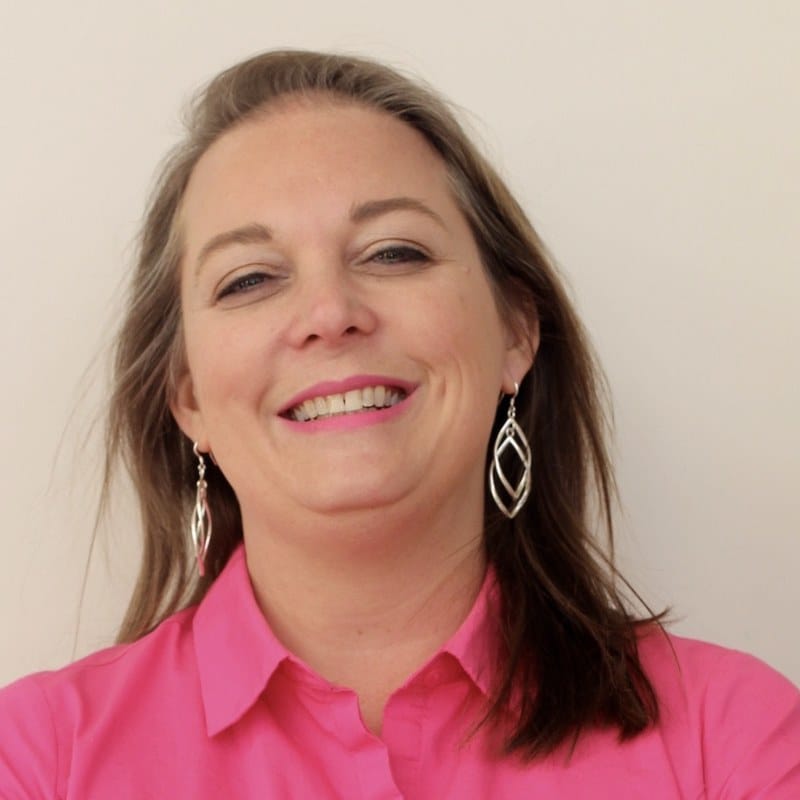
Suzanne D. Burns
Developmental editor and book coach to more than 200 business leaders, author of more than 87 books, and more than 20 years in ministry. I help pastors and clean authors get their books finished and published well.
Get The Sowers' DispatchGet a free sample editFree resourcesTake the free book quizPastors: is your message a book?Real people. Experienced hands. Your book.© 2026 Hundredfold Books. Resources · Author Services · Voice to Volume · About · Contact · Terms · Privacy